The panel
A Linux server with Docker and Compose v2. The panel is two containers: Servio and Postgres. A domain if you want HTTPS for the panel and your public sites.
Install
Servio installs on any Linux server with Docker. The installer asks what you're setting up, then starts only the containers that setup needs.
Interactive: it asks for the preset, a name, the owner's email and the panel's address.
Or answer everything up front, for scripts and provisioning:
Docker Engine and Compose v2. It tells you what's missing.
One of six presets, plus any optional modules.
Fresh secrets in an .env only root can read.
Postgres and the panel, always. The node daemon only if the Panel module is in.
Prints the address and a generated password to sign in with.
Add --dry-run to see what it would do without touching Docker.
Presets
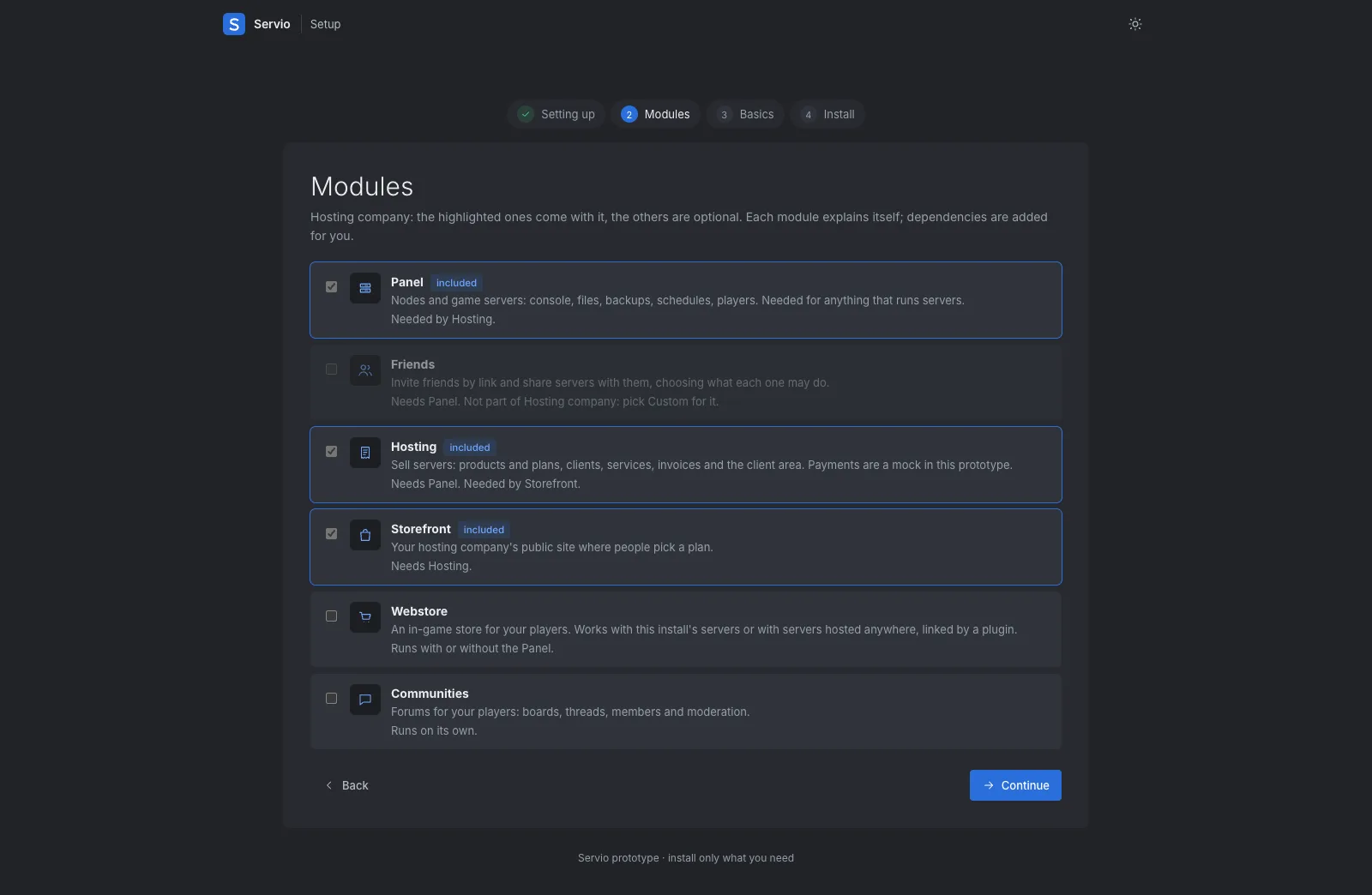
The same six choices appear in the installer and in the setup wizard in your browser. Add or remove modules later on the Modules page; your data is kept.
Dependencies are added for you: Friends and Hosting need Panel, Storefront needs Hosting. Webstore and Communities run on their own.
Adding nodes
In the panel, Nodes > Add node. Give it a name, the address players use, its game ports, memory and disk. The panel shows the command to run on the new machine.
config.yml for a manual setup, on Linux or a Mac with Docker Desktop.On the new node, as root:
Requirements
A Linux server with Docker and Compose v2. The panel is two containers: Servio and Postgres. A domain if you want HTTPS for the panel and your public sites.
Any Linux machine with Docker, sized for the games it runs. The panel's own machine can be a node too.
Point the Storefront, Webstore and Communities domains at the panel. Behind a proxy, tell Servio to trust its headers.
Free for personal use, one payment to sell. Try the demo in your browser, or install Servio on your own machine in one line.